
Directional UHF RFID Gate Reader
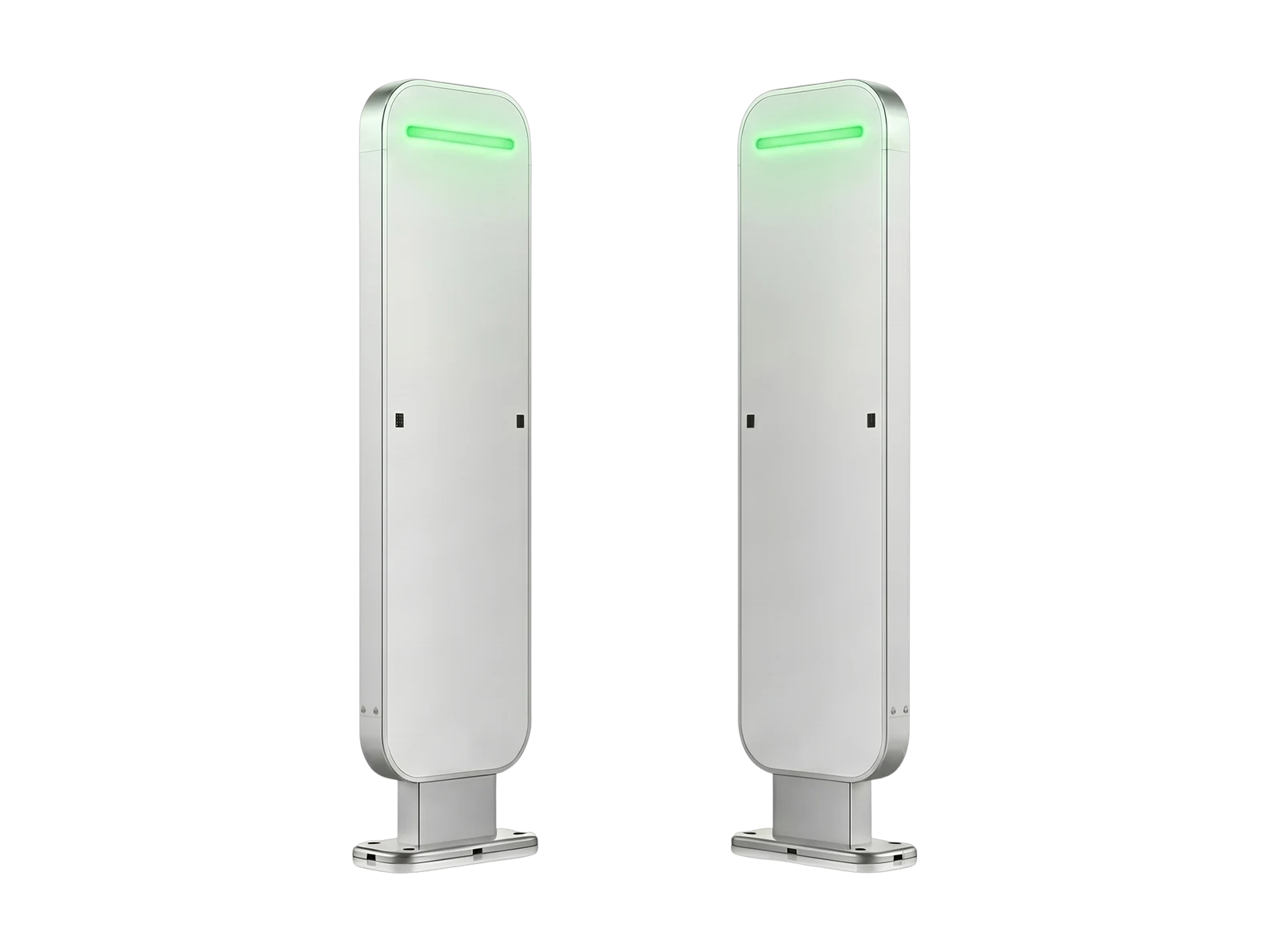
RLG01 Directional UHF Gate RFID Reader
Automate tagged-item monitoring at entrances and exits. RLG01 combines four UHF RFID antennas with infrared direction detection to identify multiple tagged items passing through the lane, determine entry or exit movement, and trigger sound and light alerts according to connected system or local authorization rules.
* Tag rate and passage reliability depend on tag population, tagged material, item spacing, movement speed, antenna tuning, lane width, surrounding RF conditions, infrared trigger logic, and software configuration.
Why Use RLG01?
Monitor tagged items automatically as they enter or leave a controlled passage
Use RLG01 where tagged items should be identified at a doorway or controlled lane without requiring staff to inspect or scan every object manually.
Replace repeated exit checks
Identify multiple compatible UHF RFID tags while items pass through the gate instead of requiring staff to verify each object individually.

Determine entry and exit direction
Use the infrared trigger sequence to determine movement direction while the RFID antennas identify the tags passing through the lane.

Apply authorization rules and retain events
Connect the gate to a host system, or use a configured Windows or Android system for local blacklist, whitelist, event review, and offline caching.
Before / After
From manual item checks to
automatic directional gate monitoring
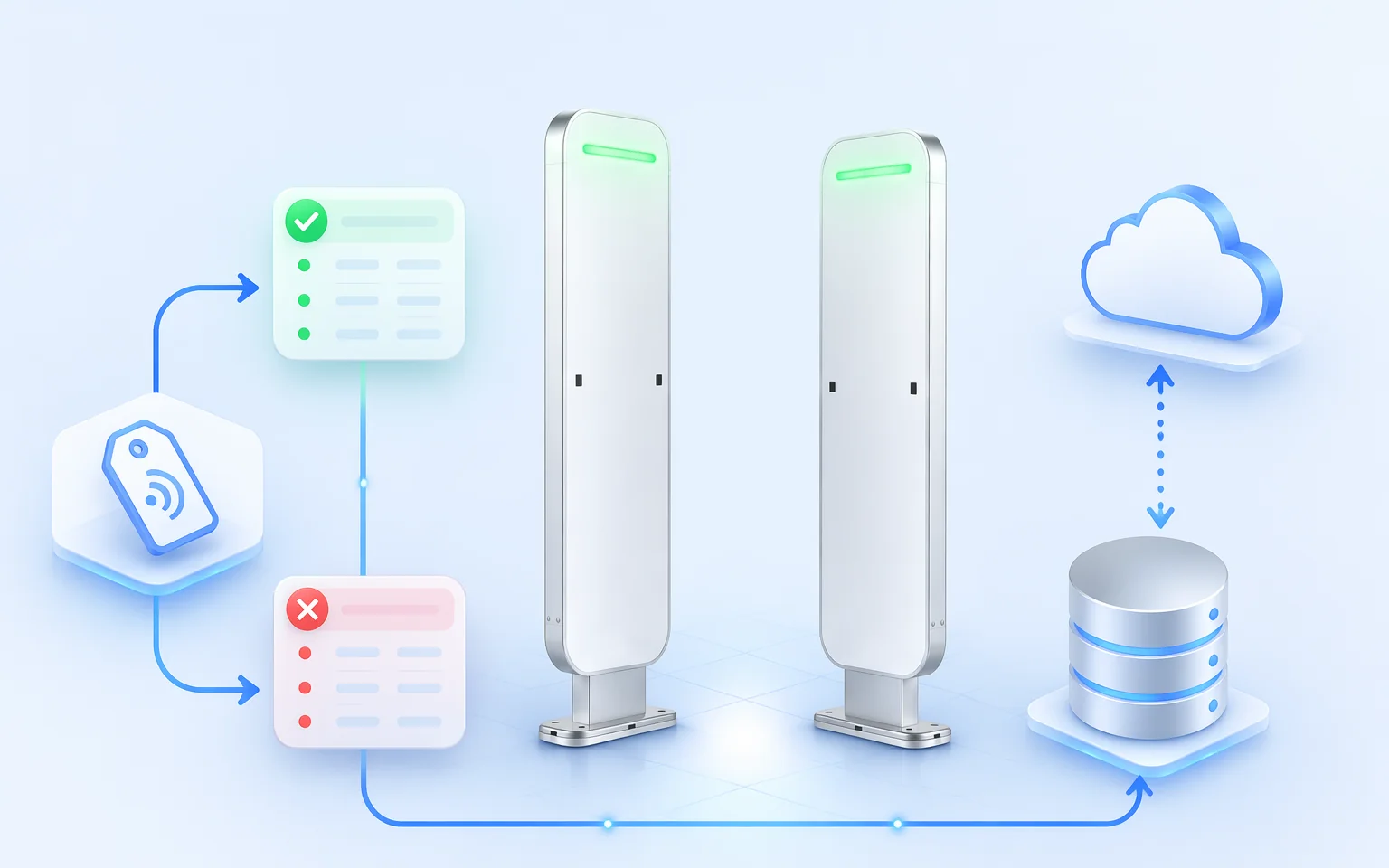
Move passage verification from a repeated staff action to a configured RFID gate that identifies tagged items, determines direction, and applies the required authorization workflow.
Manual exit or entrance checking
Five repeated actions for each item

The checkpoint depends on staff noticing the item, checking its identity, and deciding whether the movement is permitted.
Automatic directional RFID gate capture
Three stages for the configured passage

Direction is determined by the configured infrared sensor sequence. RFID identifies compatible tags in the passage. Authorization, blacklist, whitelist, and alarm behavior depend on the connected host software or the selected Windows or Android system configuration.
Directional Passage Detection
Combine infrared movement sensing with multi-tag UHF RFID identification
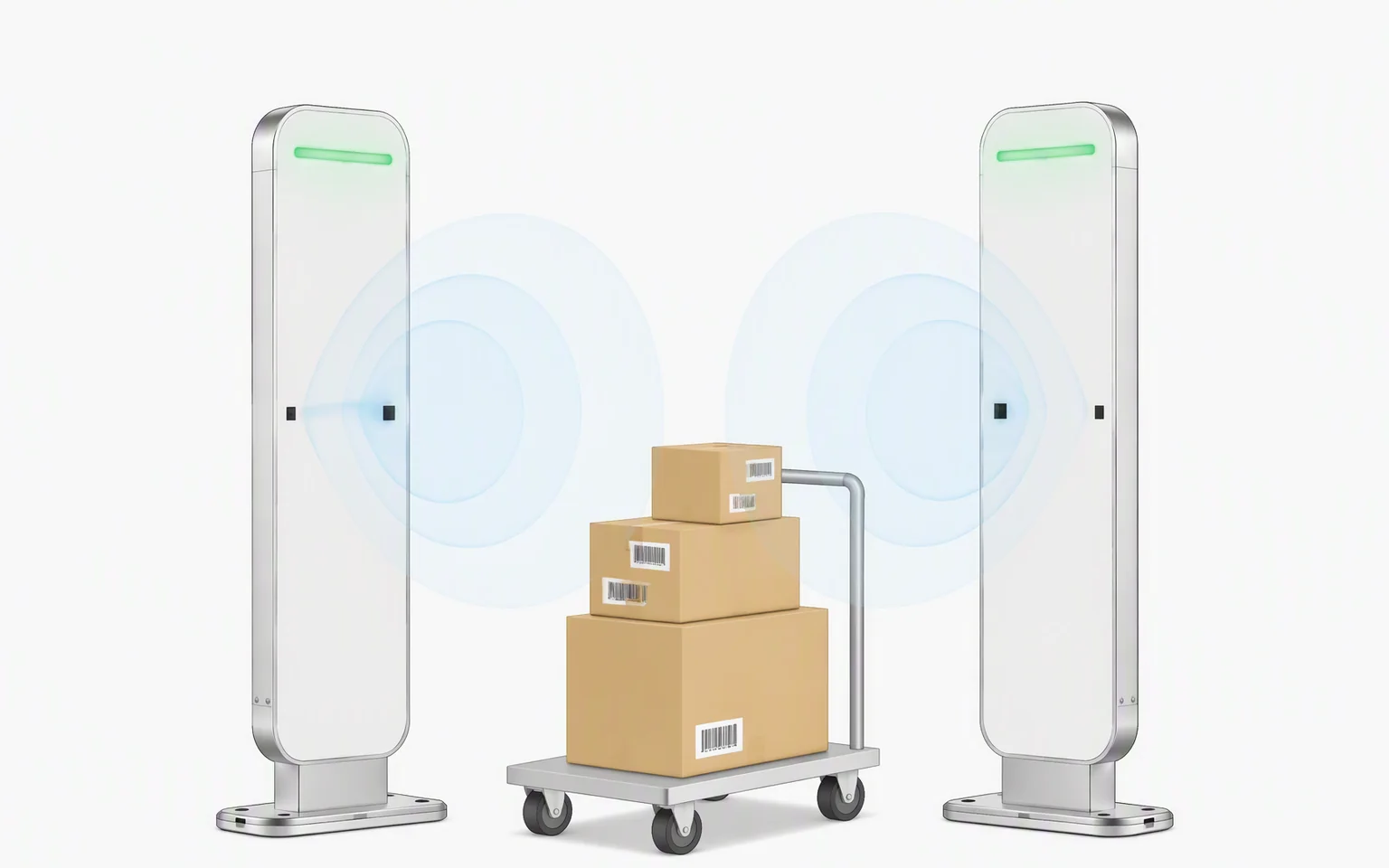
RLG01 does not rely on RFID signal strength alone to determine direction. The infrared trigger sequence identifies whether movement is entering or leaving, while four UHF RFID antennas capture compatible tags in the lane.
The resulting event can be checked against host-system rules or a locally configured blacklist and whitelist before the system records the passage or activates the sound and light alarm.
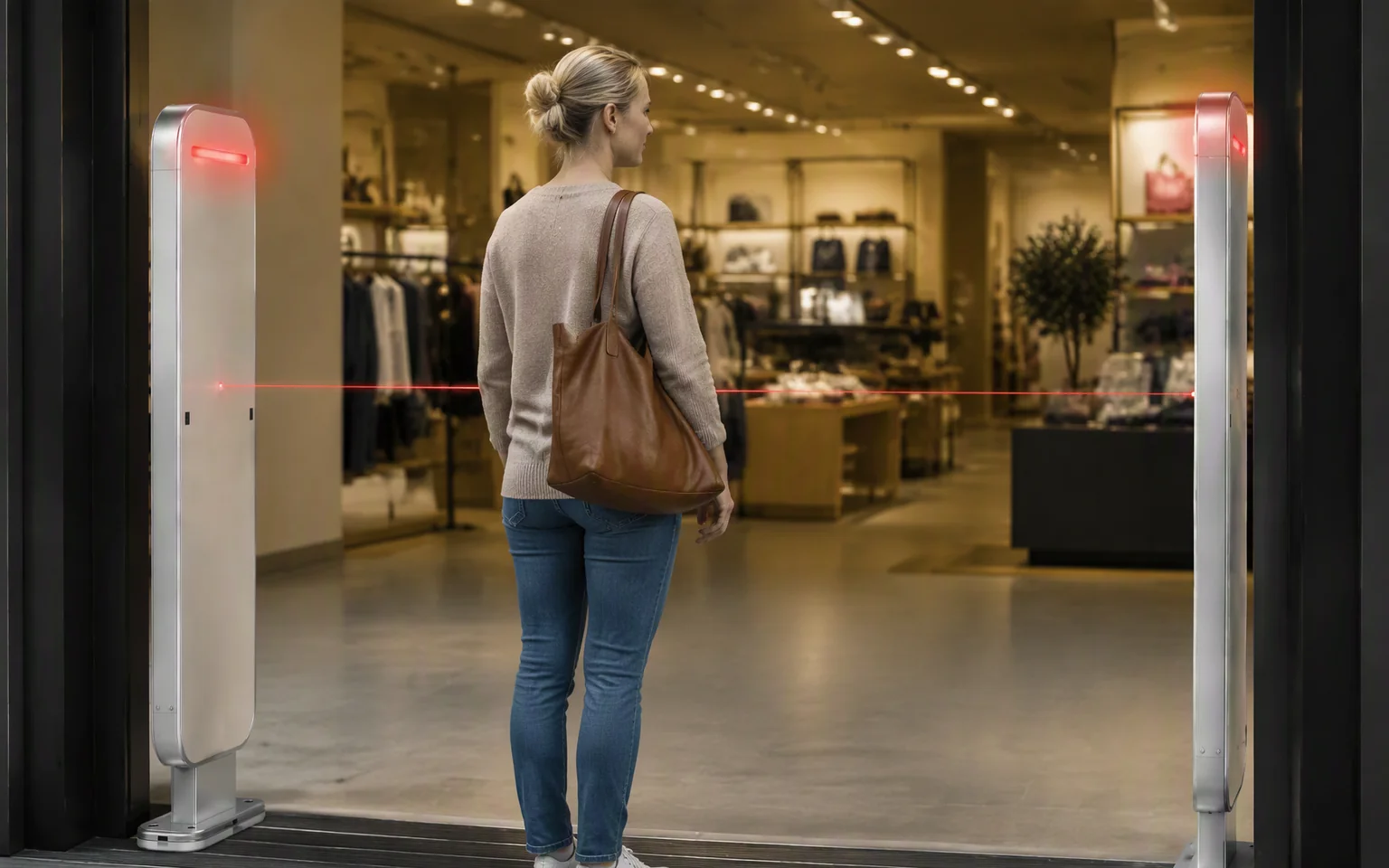
Infrared sensing detects the movement sequence through the two-pedestal passage.
Four antennas support simultaneous identification of compatible UHF RFID tags passing through the gate.
The host or local system records the event, allows the movement, or triggers the configured alarm.
Anti-Theft & Authorization Workflow
Turn passage events into allowed, recorded, or alarmed movements
Configure the gate around the required business rule. The host-connected configuration can send passage events to a connected system, while a Windows or Android system configuration can apply approved and restricted tag lists locally.
Identify tagged-item movement through one controlled passage with infrared direction detection.
Passage Trigger
The infrared sensors detect that an item or person has entered the configured lane.
Direction Decision
The trigger sequence determines whether the movement is entering or leaving.
RFID Identification
Four antennas capture compatible UHF RFID tags moving through the passage.
Authorization & Alarm
The connected or local system records the event and applies the configured allow, deny, or alarm rule.
A blacklist or whitelist determines software authorization status; it does not guarantee physical containment. Final alarm reliability depends on tag placement, tag population, object materials, lane width, infrared alignment, antenna tuning, passage behavior, and site validation.
Gate System Architecture
Move from passage detection to local or connected-system action
RLG01 combines infrared movement detection, four-antenna UHF RFID capture, optional local computing, and external system communication in one controlled-passage workflow.
Tagged Item
A compatible UHF RFID tag approaches the controlled entrance or exit.
Infrared Trigger
The sensor sequence detects movement and establishes the passage direction.
Four RFID Antennas
The antenna arrangement captures compatible tags moving through the lane.
RLG01 Gate Controller
The gate filters tag responses, associates them with the detected direction, and creates the passage event.
Local or Host Rules
A Windows, Android, or connected host system checks the tag against the configured authorization workflow.
Record, Sync or Alarm
The event is stored or forwarded, and unauthorized movement can trigger the sound and light alarm.
Local Control & Data Reliability
Keep authorization and passage events available at the gate
Select a system configuration when the project needs local event review, approved and restricted tag lists, offline caching, or continued operation during temporary network interruptions.
Blacklist and whitelist management
Use the configured Windows or Android software to maintain approved or restricted tag lists and apply local passage rules.
Local event caching
Retain passage events locally during a temporary communication interruption, subject to the selected system and storage configuration.
Breakpoint resume
Resume event transmission after connectivity returns according to the configured synchronization and duplicate-handling rules.
Online upgrade and maintenance options
Use the project-matched management tools for software updates, monitoring, or remote maintenance where included in the selected configuration.
Configuration Options
Choose the control architecture that matches the project
The physical gate can be combined with an external host system or supplied with local Windows or Android computing according to the required user interface, business rules, and maintenance model.
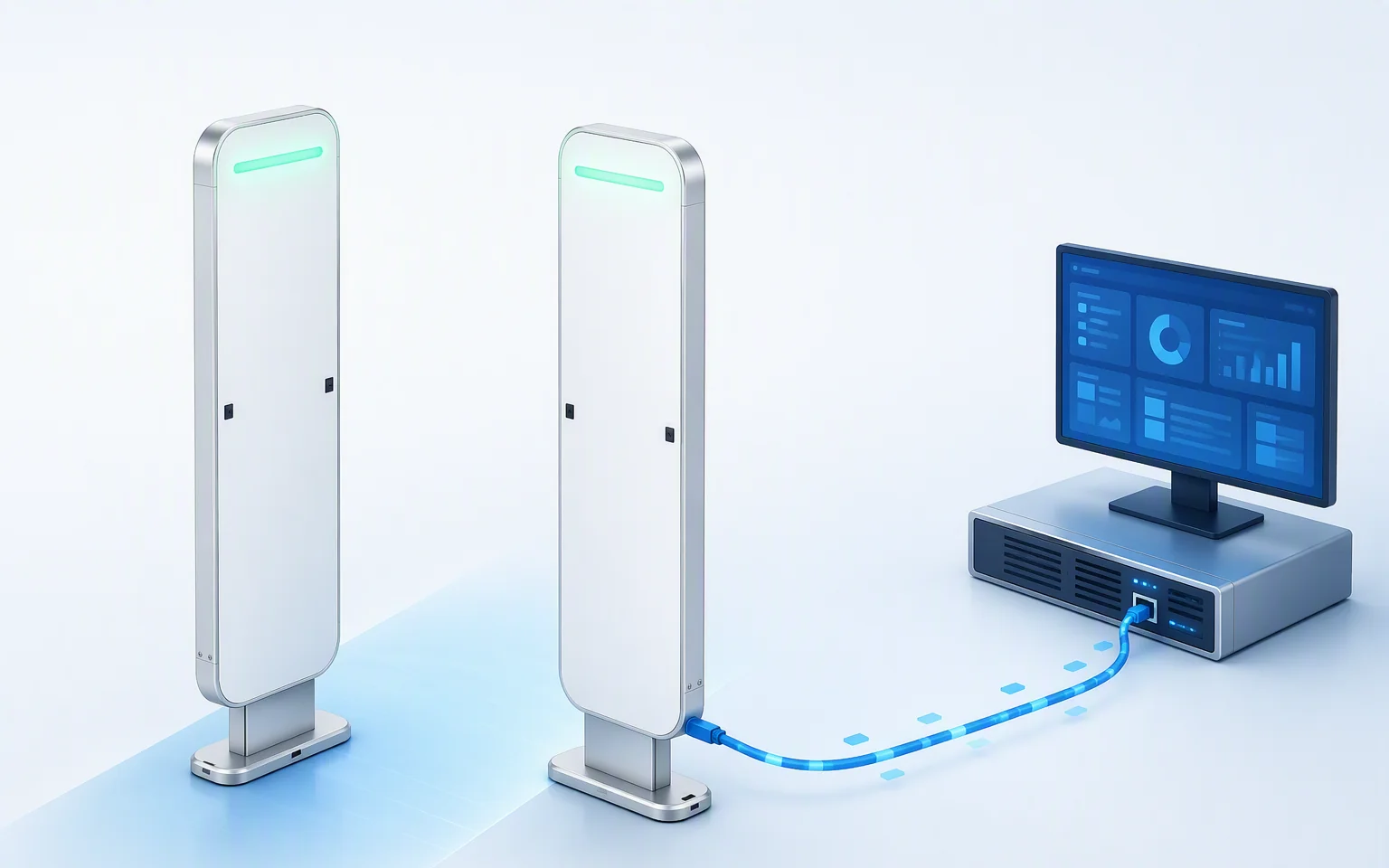
Host-connected configuration
Send RFID and direction events through RJ45 to the customer application, library system, retail platform, asset system, or custom middleware.
Windows touchscreen configuration
Add the optional 10.1-inch capacitive touchscreen and Windows system for local operation, event review, and project-specific management software.
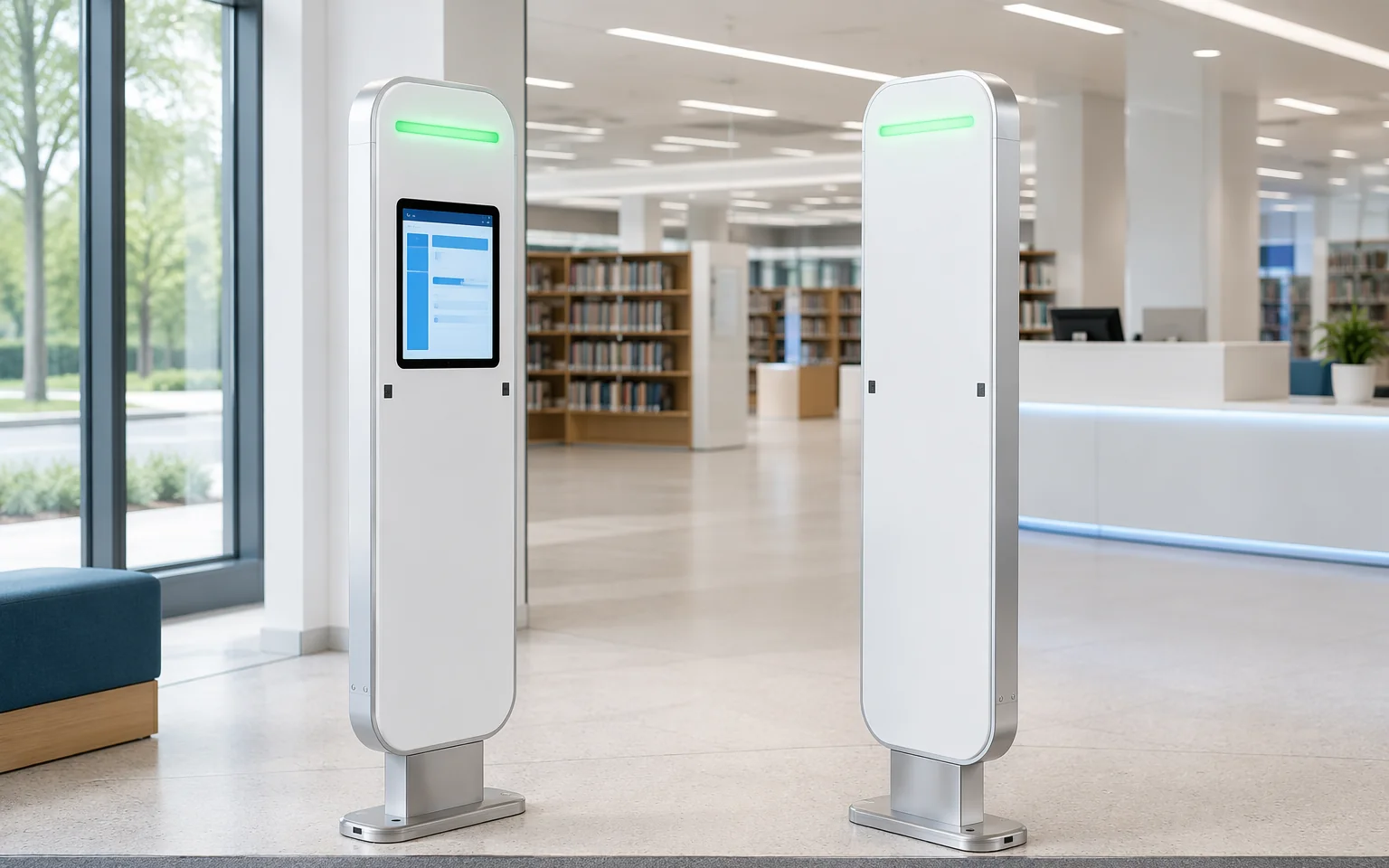
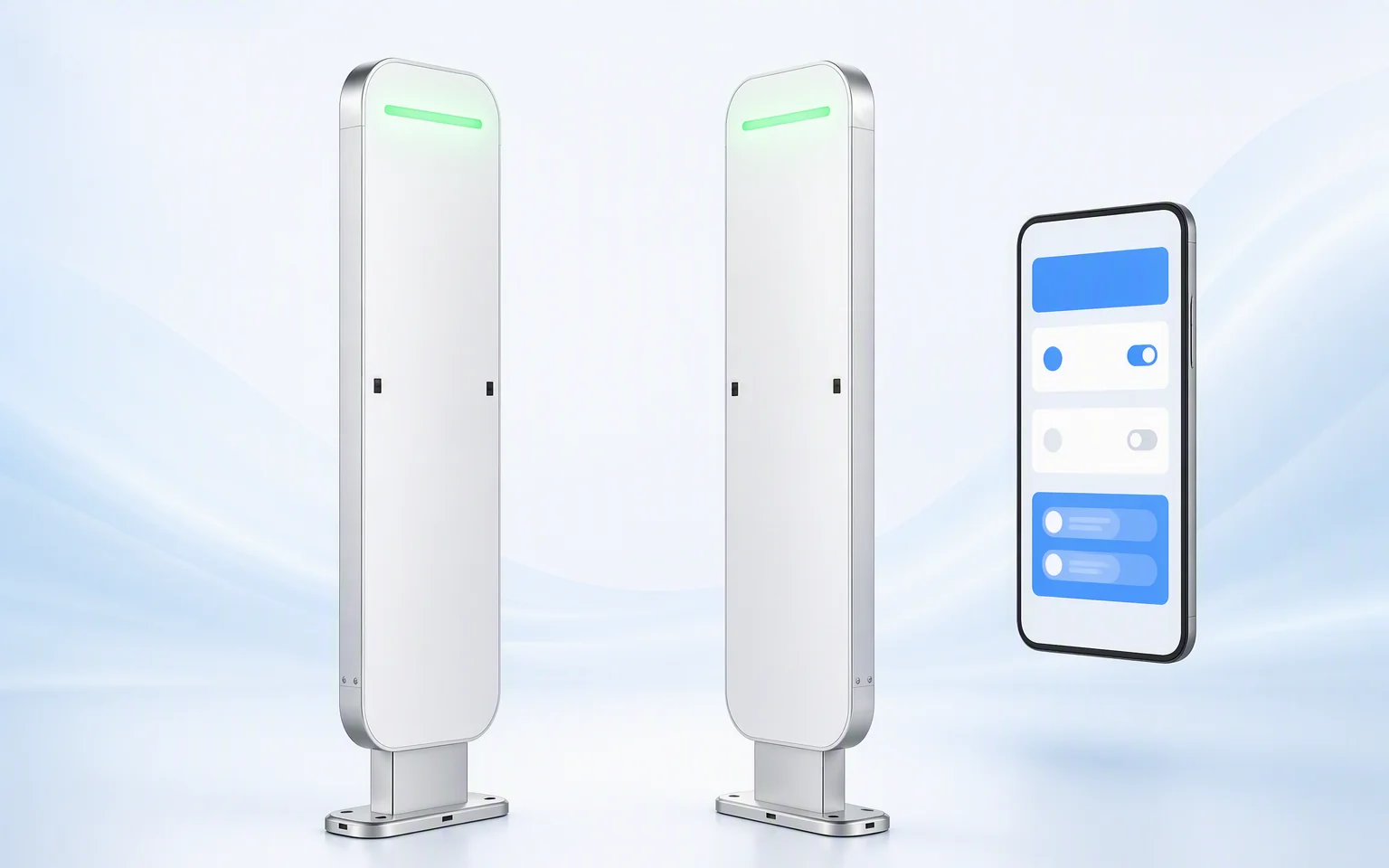
Optional Android system
Use an Android configuration for a project-specific local application, simplified operator interface, or OEM software deployment.
Supporting Features
Configure the RFID gate around the tags, lane, and operating rules
Match the RF settings, regional frequency, software configuration, and alarm logic to the final tagged items and controlled-passage requirements.
High-speed UHF RFID identification
Identify multiple compatible tags in one passage, with a stated reading speed of at least 400 tags per second under suitable conditions.

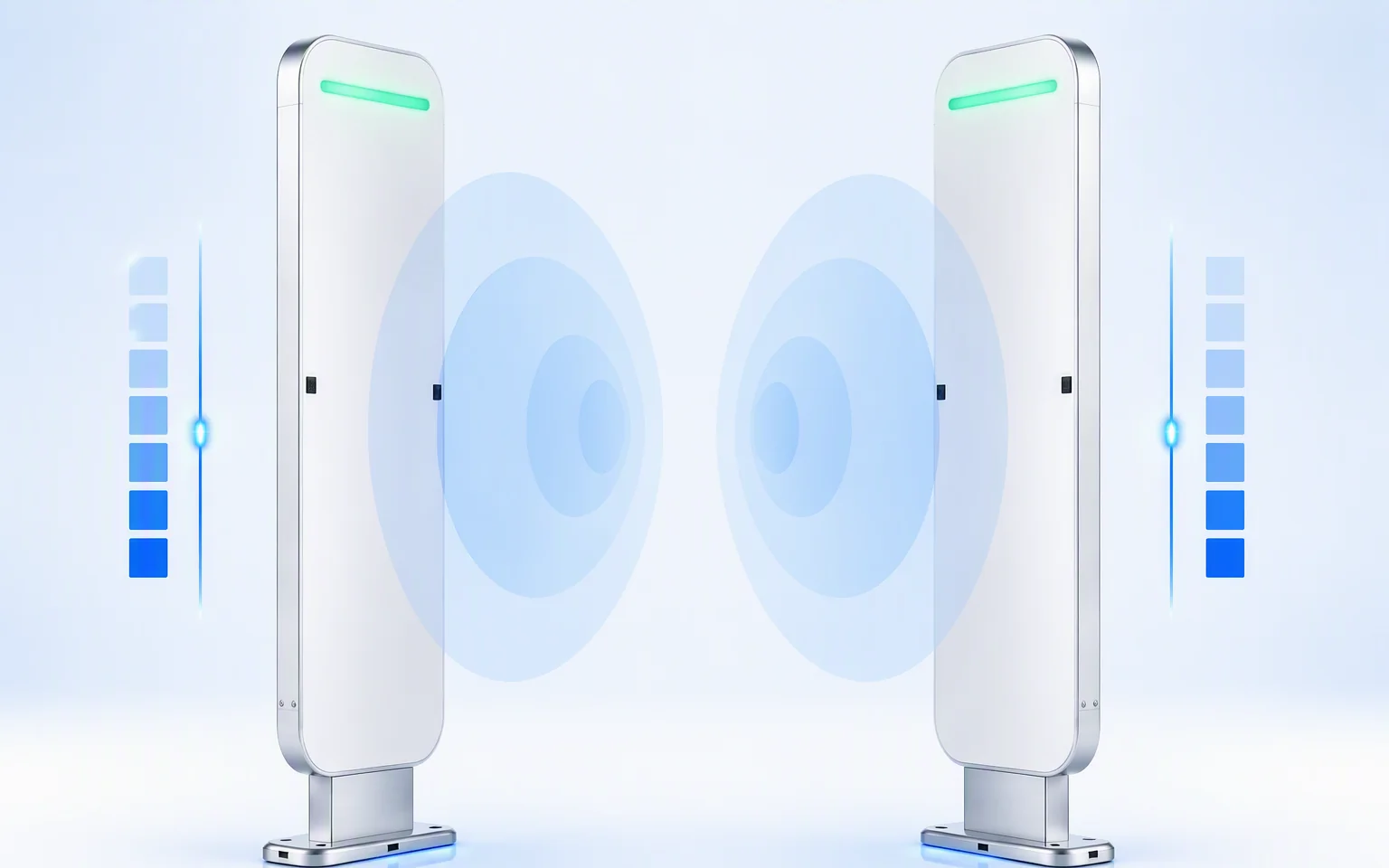
1–33 dBm adjustable RF output
Tune RF output according to the lane width, antenna arrangement, tag position, tagged material, and required passage coverage.
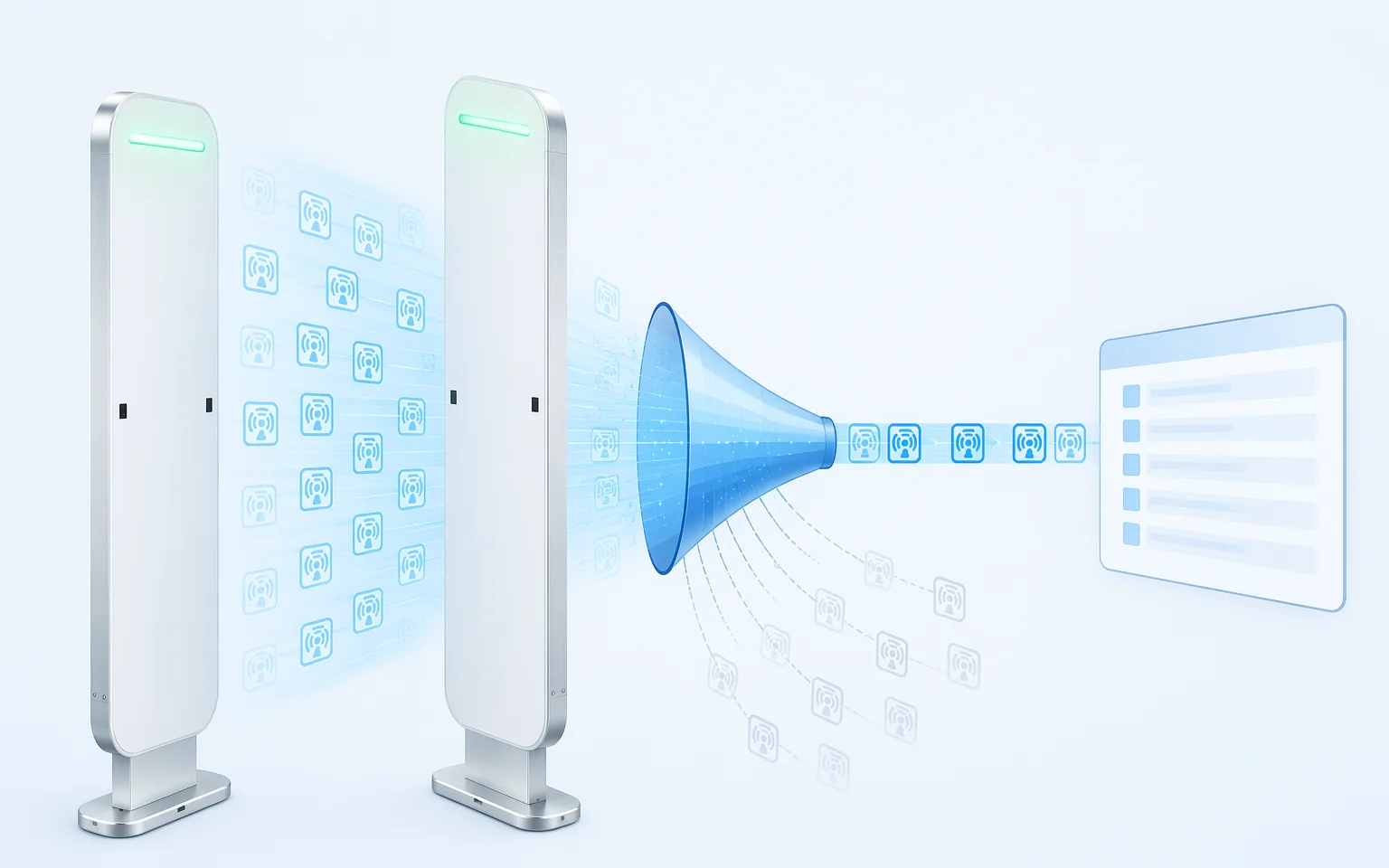
Tag filtering, RSSI, and duplicate-read control
Use the configured filtering and signal-strength logic to reduce repeated records and support cleaner passage events.
Sound and light alert output
Provide an immediate local response when the configured host or local authorization rule identifies an exception.
Applications
Directional RFID monitoring for libraries, retail, and controlled asset areas
Use RLG01 where tagged items pass through a defined entrance or exit and the system must record direction, check authorization, or trigger an exception alert.

Library Exit Security
Check tagged books or media against the connected circulation or local authorization workflow and alarm when movement does not match the configured status.

Retail Merchandise Protection
Identify tagged products leaving or entering a controlled store passage and connect the event to POS, inventory, or loss-prevention rules.

Tool, Equipment & Asset Rooms
Record tagged tools, IT equipment, samples, or reusable assets moving through the controlled doorway and escalate unapproved movement.
Deployment Guidance
Design the two-pedestal passage around the real traffic and tags
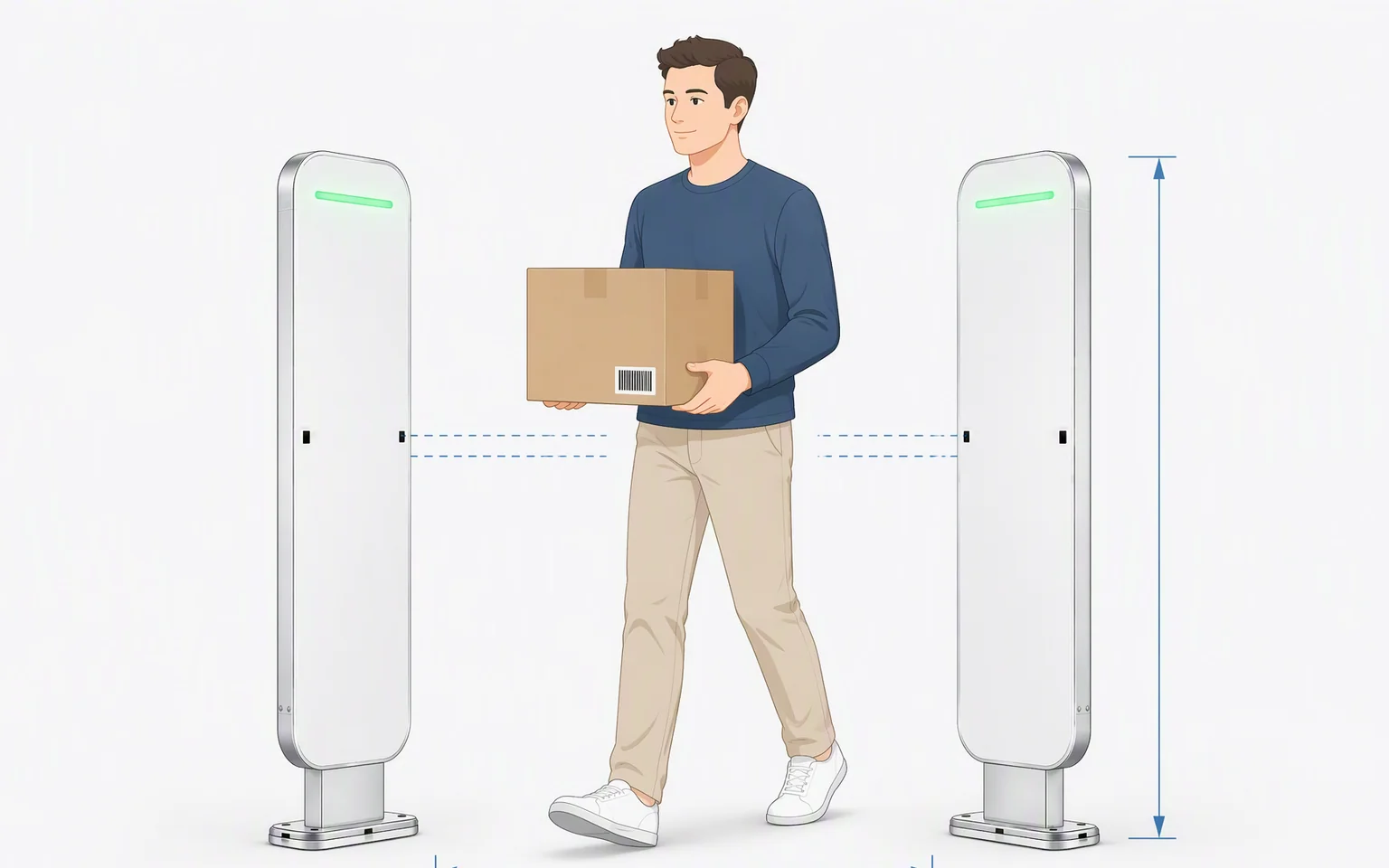
One RLG01 set uses two pedestals and four RFID antennas. The recommended distance between the two pedestals is within 3 m, but final spacing must be validated with the actual tags, objects, pedestrian behavior, and site layout.
Do not select the lane width from the stated maximum alone. Confirm tag placement, tagged material, item count, passage speed, adjacent gates, metal structures, interference, infrared alignment, alarm logic, and local safety requirements.
Use a pedestal spacing within 3 m and verify the complete gate using the final tagged items and operating flow.
Confirm sensor height, sequence, obstructions, and real pedestrian or item movement before commissioning.
Reduce unintended reads, validate multi-tag capture, and test every allowed, denied, cached, and recovered event condition.
Specifications
RLG01 RFID gate specifications and configuration details
Review the confirmed gate composition, RFID performance, passage detection, system options, communication, alarm functions, environmental conditions, and exact product views before project selection.
| Gate System | System Composition | Two gate pedestals per complete set |
|---|---|---|
| RFID Antennas | Four UHF RFID antennas per complete set | |
| Recommended Pedestal Spacing | Within 3 m; validate with final tags, traffic, and site conditions | |
| Direction Detection | Infrared passage-direction sensing | |
| Alarm | Sound and light alarm | |
| Identification Method | UHF RFID | |
| RFID Performance | Frequency Range | 840–960 MHz; confirm the regional configuration before ordering |
| Air Protocol | ISO 18000-6C / EPC Class 1 Gen 2 | |
| RF Output Power | 1–33 dBm adjustable | |
| Reading Speed | At least 400 tags per second under suitable conditions | |
| Read Functions | Multi-tag recognition, tag-data filtering, RSSI-based signal-strength processing, and duplicate-read control | |
| System & Data | Host Communication | RJ45 |
| Host-Connected Configuration | Passage events are sent to an external host or business system | |
| Windows Configuration | Available with optional 10.1-inch capacitive touchscreen | |
| Touchscreen Resolution | 1366 × 768 | |
| Android Configuration | Available as a project option | |
| Blacklist / Whitelist | Supported with a configured Windows or Android system and project software | |
| Local Cache | Supported; confirm final capacity and retention behavior | |
| Breakpoint Resume | Supported according to the configured synchronization logic | |
| Physical & Environmental | Pedestal Dimensions | 1555 × 426 × 45 mm per pedestal |
| Material | Aluminum profile frame with ABS+PC panels | |
| Power Input | AC 220 V | |
| Operating Temperature | −10 to 60°C | |
| Storage Temperature | −20 to 70°C | |
| Operating Humidity | 10% RH to 90% RH |
Support & Documentation
Technical resources for gate configuration and system deployment
Product Datasheet
Review RFID performance, gate composition, dimensions, system options, communication, alarm functions, and environmental limits.
Request datasheet →Software & System Configuration
Confirm the host-connected version, Windows touchscreen package, Android option, authorization lists, cache behavior, and event workflow.
Discuss system options →Installation & Validation Guide
Review pedestal spacing, infrared alignment, RF tuning, power, network, alarm logic, tagged-item testing, and commissioning requirements.
Review deployment →Integration FAQ
RLG01 passage, system-option, and authorization questions
How many gate pedestals are included in one RLG01 system?
One complete RLG01 system uses two gate pedestals to create one controlled passage. Confirm the final package contents, mounting hardware, cables, software, and optional touchscreen before ordering.
How many RFID antennas are used in one complete set?
One complete set uses four UHF RFID antennas in total. The final antenna arrangement and tuning must be validated with the actual lane, tagged items, and passage behavior.
What passage width is recommended?
The recommended distance between the two pedestals is within 3 m. Final spacing should be validated with the actual tags, tagged materials, item count, movement speed, infrared alignment, and surrounding RF conditions.
How does RLG01 determine entry and exit direction?
Direction is determined from the configured infrared trigger sequence. The RFID antennas identify compatible tags passing through the lane; direction should not be inferred from RFID signal strength alone.
Can RLG01 read multiple tags during one passage?
Yes. The supplied specification states multi-tag recognition and a reading speed of at least 400 tags per second under suitable conditions. Real passage performance depends on tag population, spacing, orientation, materials, speed, RF tuning, and site conditions.
Does the host-connected version require a touchscreen?
No. Passage and RFID events can be sent through RJ45 to an external host system. The 10.1-inch touchscreen is an optional Windows configuration.
Can RLG01 use an Android system?
Yes. Android is available as a project option. Confirm the hardware, Android version, application package, local database, remote-management method, and supported interfaces before ordering.
How do blacklist and whitelist functions work?
Blacklist and whitelist management is available with a configured Windows or Android system and project software. In a host-connected configuration, authorization can instead be determined by the customer application or business platform.
What happens during a temporary network interruption?
The supplied information states that local caching and breakpoint resume are supported. Confirm the selected storage capacity, retention period, synchronization order, duplicate handling, and behavior during prolonged outages.
When does the sound and light alarm activate?
The alarm response depends on the configured local or host authorization rule. Define which tag status, direction, event type, or system exception should trigger the alarm, and validate every condition during commissioning.
Which RFID tags and frequency version should be used?
RLG01 is specified for ISO 18000-6C / EPC Class 1 Gen 2 tags across the 840–960 MHz range. Order the regional frequency configuration that matches the deployment country and local regulations.
What information is needed before selecting the final configuration?
Provide the passage width, tagged-item type, tag placement, expected tag population, entry and exit flow, authorization logic, local or host-system preference, Windows or Android requirement, cache behavior, alarm workflow, network, power, operating region, and project quantity.
Project Review
Confirm the RLG01 configuration for your controlled passage
Share the passage width, tagged items, tag quantity, entry and exit flow, authorization rules, host-connected or touchscreen configuration, Windows or Android preference, local-cache requirement, alarm logic, network, power, operating region, and expected project quantity.