
8-Port UHF RFID Fixed Reader
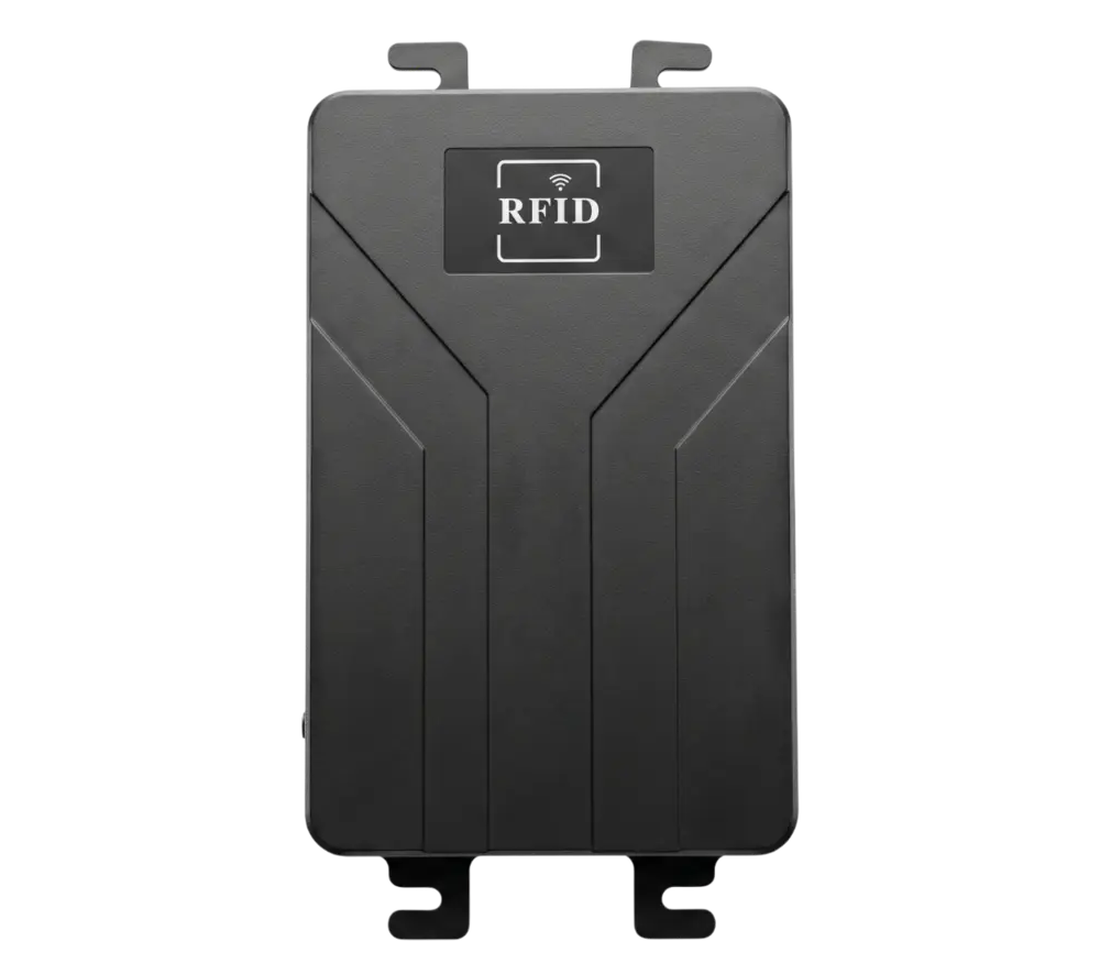
RLF-8P 8-Port UHF RFID Fixed Reader
Automate RFID tracking across multiple checkpoints with one fixed reader. RLF-8P connects up to eight external antennas to capture compatible tag events at dock doors, production lines, asset checkpoints, and controlled access points—helping reduce manual scans and improve process visibility.


* Tag rate and read-point performance depend on tag population, antenna selection, cable loss, RF settings, tagged material, orientation, interference, host configuration, movement speed, and operating environment.
Why Use RLF-8P?
One reader. Multiple automated RFID checkpoints.
Use a fixed RFID reader when tag capture should happen at defined process points without depending on an operator to aim a handheld device at every item.

Replace manual checkpoint scans
Capture compatible RFID tags as items pass through receiving, production, inspection, or access points—without requiring an operator to scan every item individually.
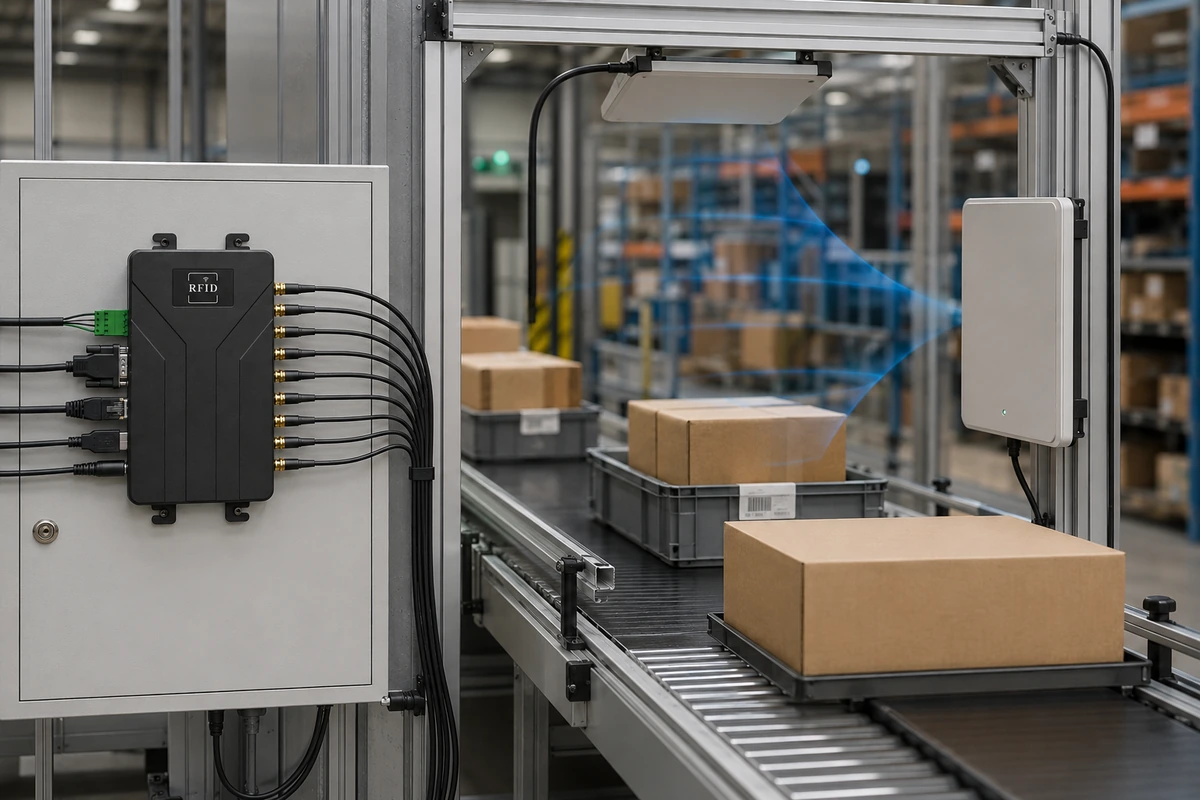
Configure multiple antenna positions
Connect up to eight external antennas and position them around dock doors, conveyors, production workpoints, asset checkpoints, or controlled vehicle lanes.
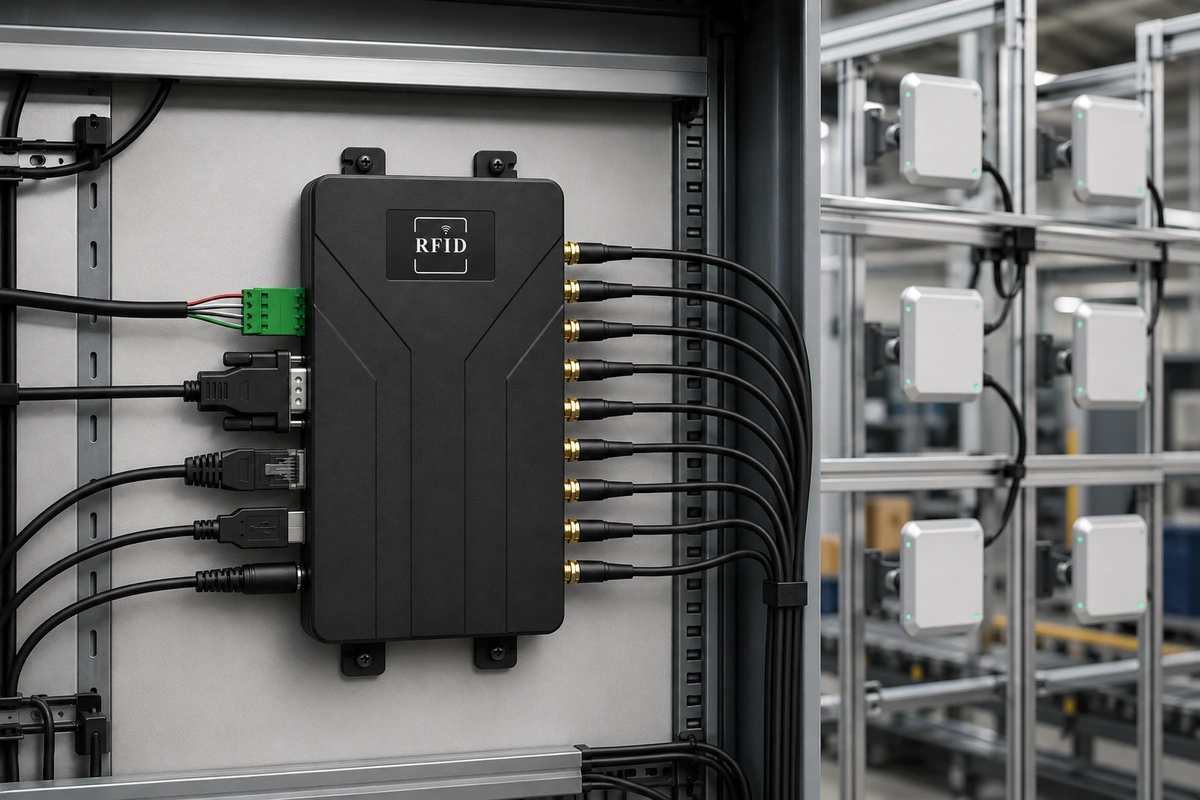

Connect RFID events to your system
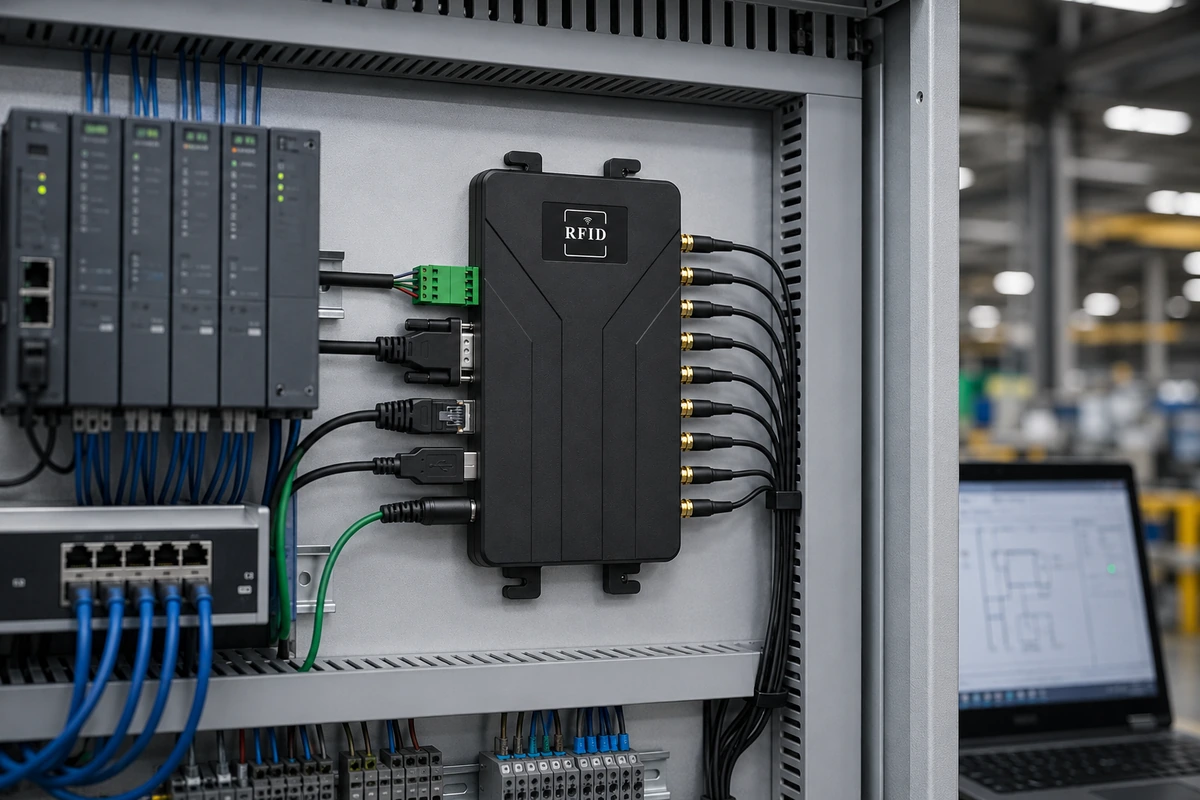
Send tag data to host applications, PLCs, RFID middleware, access-control controllers, or custom software through Ethernet, serial interfaces, GPIO, Wiegand, and the available API package.
Before / After
From manual scans to
automatic RFID checkpoint capture
Move identification from a repeated manual action to a configured fixed read point that sends compatible tag data into the host workflow.
Manual checkpoint scanning
Five repeated actions for each item

The checkpoint depends on an operator completing the scan and sending the result into the required workflow.
Automatic RFID checkpoint capture
Three stages for the configured read point
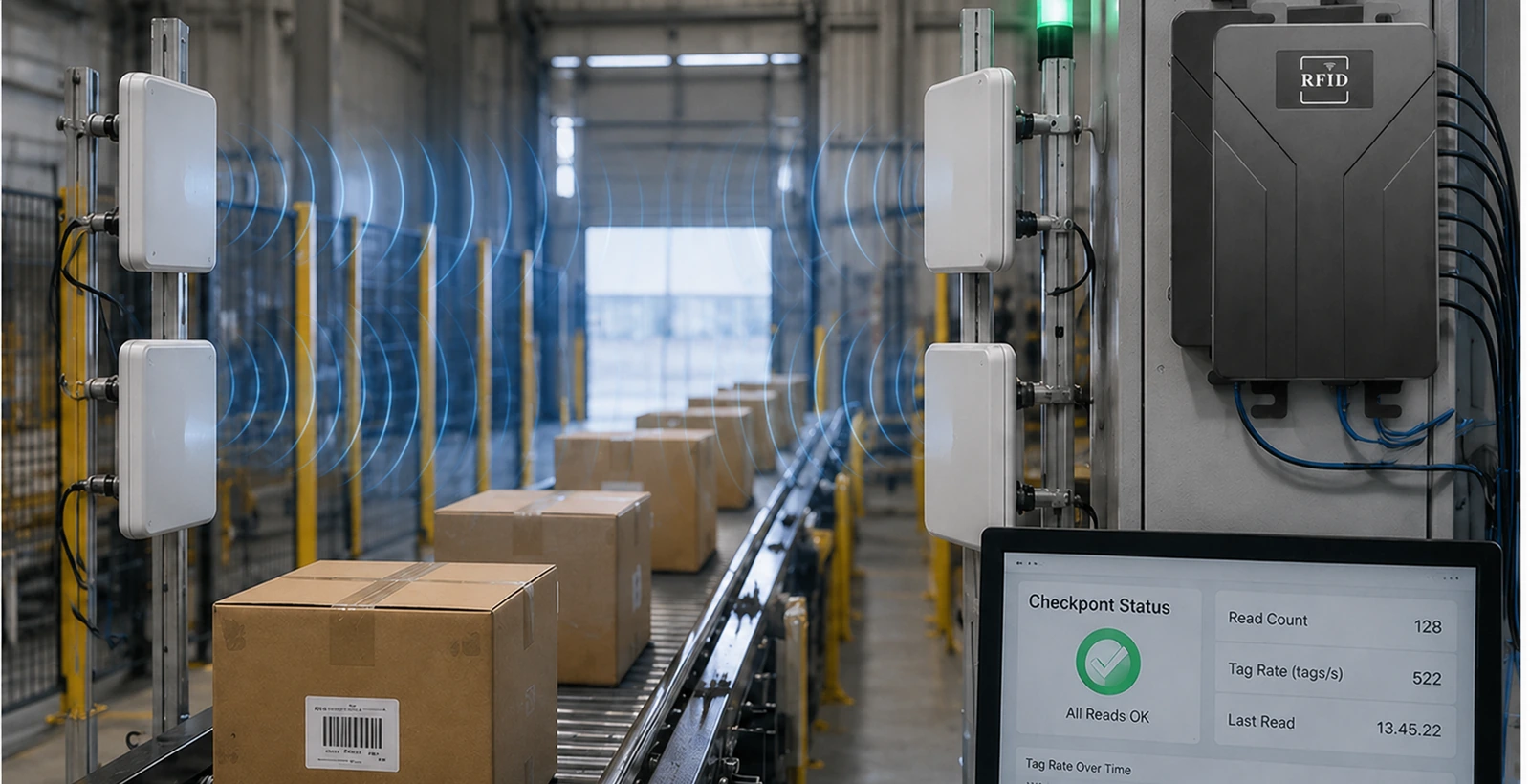
The reader captures and transmits tag data. Business rules, event storage, exception handling, and MES/WMS updates must be implemented in the connected host application, PLC, middleware, access-control platform, or customer software.
Multi-Point RFID Reading
Build multiple RFID read points from eight external antenna connections
Use the eight antenna ports to position antennas around the process. Depending on the project, one antenna may serve one checkpoint, or multiple antennas may work together around the same lane, doorway, station, or coverage area.
Route each external antenna toward the location, direction, or coverage area required by the process.
Receiving Point
Capture compatible tagged cartons, pallets, totes, or returnable assets entering the workflow.
Conveyor Point
Position antennas around a controlled conveyor section and send tag events to the host or PLC workflow.
Production Point
Identify tagged materials, work-in-process items, fixtures, or containers at a defined station.
Exit / Access Point
Support controlled vehicle, personnel, asset, or shipment movement through an identified checkpoint.
Eight antenna ports support flexible antenna placement; they do not automatically create eight fully isolated read zones. Zone separation depends on antenna type, mounting, shielding, RF power, cable loss, tag orientation, materials, spacing, and site conditions.
System Architecture
Move tag data from the read point to the business workflow
RLF-8P acts as the RFID capture device. Host applications, PLCs, middleware, access-control software, MES, or WMS apply the project-specific rules, storage, and process actions.
Tagged Item
A compatible UHF RFID tag enters the intended checkpoint.
External Antenna
The selected antenna creates the project-specific RF coverage area.
RLF-8P Reader
The reader processes compatible tag responses and sends data outward.
Host Application / API
C# or Java host software receives and interprets reader data.

PLC or Middleware
Control logic, filtering, event rules, and integration are applied externally.
MES / WMS / Access Control
The business platform records or acts on the validated event.
Interfaces & Automation
Connect RFID reads to host software, PLCs, and control equipment
Use the host interfaces and I/O terminal to move tag data into software and connect the reader with sensors, controllers, access-control devices, lights, buzzers, barriers, or other project equipment.
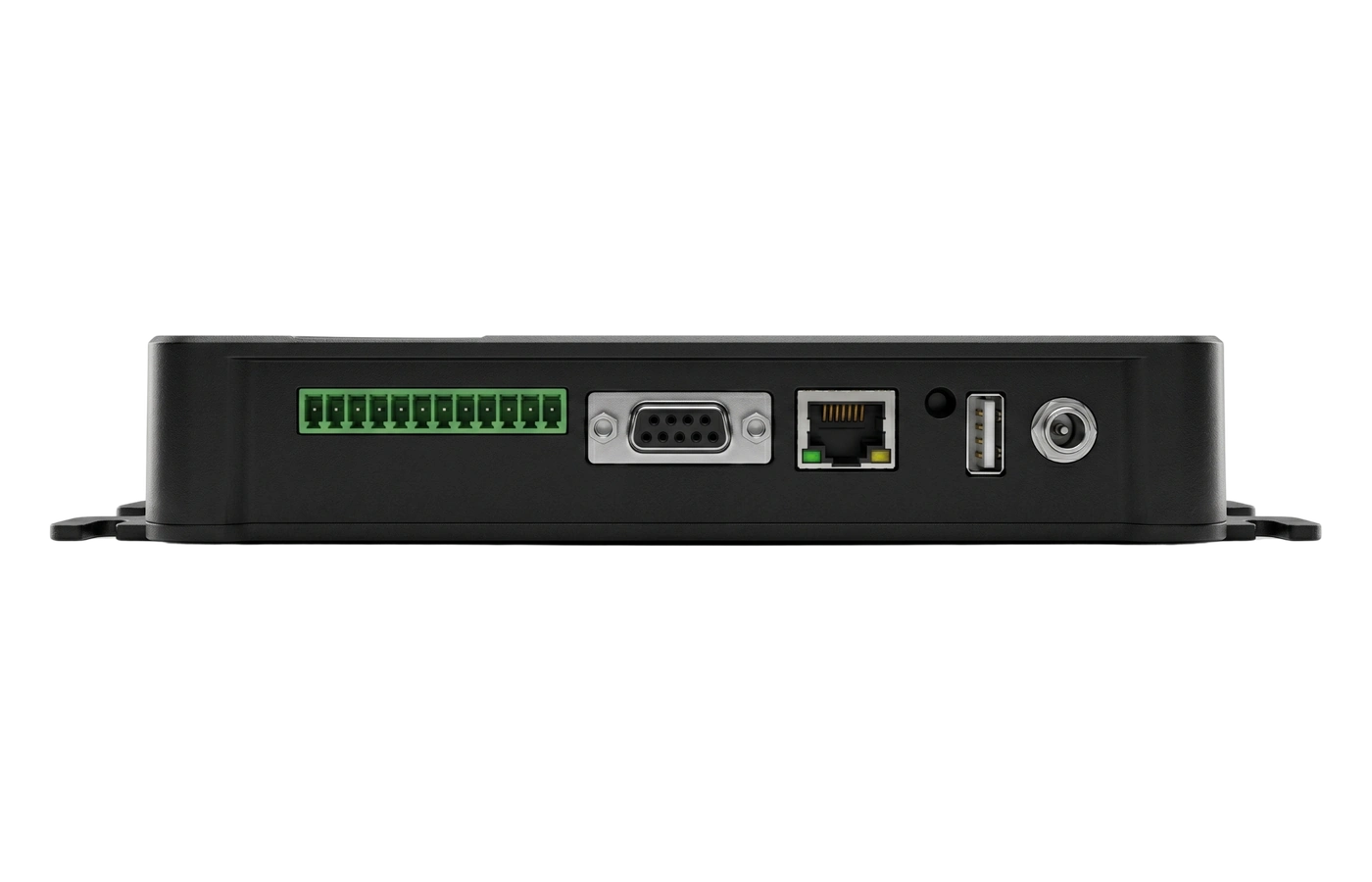
- 01Power Input
Connect the specified DC 9–24 V power supply.
- 02USB 2.0
Use the supported USB host interface for communication or configuration.
- 03Ethernet 10/100M
Connect the reader to host software or RFID middleware over the local network.
- 04RS-232
Use serial communication for direct host or equipment integration.
- 05I/O Terminal
Provides two optically isolated inputs, two relay output channels, RS-485, ground, and Wiegand signals.
Two optically isolated inputs
Receive supported trigger or state signals from sensors, switches, PLCs, or external controllers.
Two relay output channels
Support lights, buzzers, barriers, or other equipment controlled by the host or approved reader workflow.
RS-485 and Wiegand
Connect supported industrial-control and access-control equipment through the I/O terminal.
Ethernet, serial, USB, C# and Java
Develop host applications using the available API package and supported communication interfaces.
Supporting Features
Configure the fixed reader around the project
Match protocol, frequency region, RF power, communication method, and host software to the actual tags and process conditions.
ISO 18000-6B and EPC Gen 2 support
Read compatible ISO/IEC 18000-6B and ISO/IEC 18000-6C / EPC Class 1 Gen 2 tags.

0–33 dBm adjustable output
Set RF output according to the antenna, cable, tag, mounting distance, movement speed, and target read point.
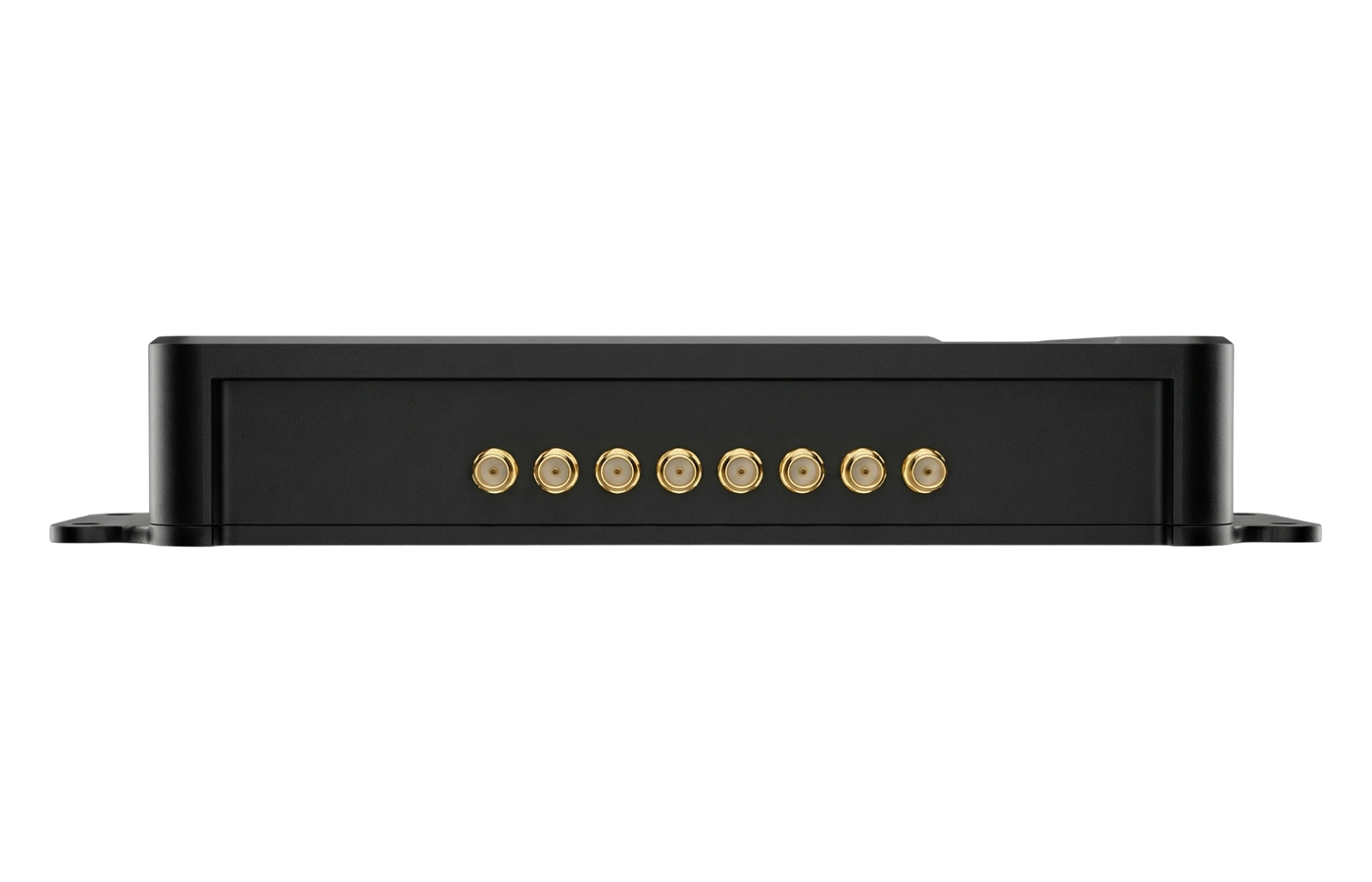
Multiple frequency configurations
Confirm the required GB, FCC, ETSI, or Japan frequency configuration before ordering and deployment.

API package for C# and Java
Request the project-matched API, documentation, sample resources, and communication guidance for host development.

Applications
Automated RFID checkpoints for logistics, production, and controlled access
Use RLF-8P where a fixed read point should capture tag events and deliver them to a host, PLC, middleware, or access-control workflow.
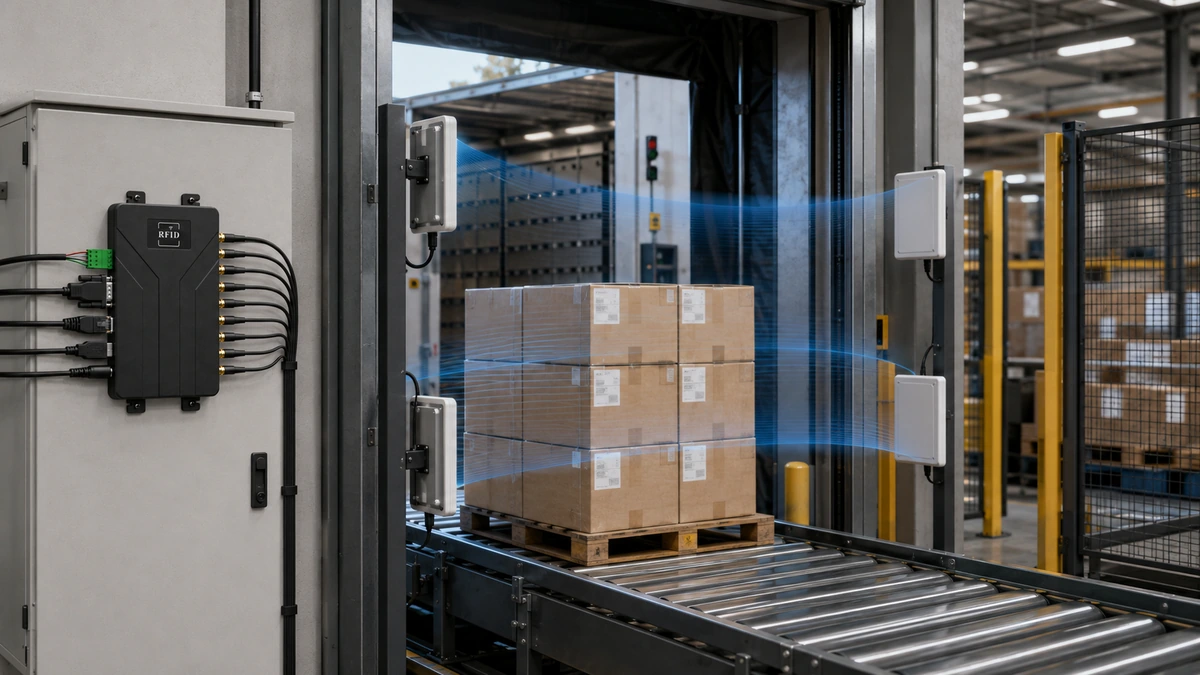
Dock Door & Shipment Verification
Capture compatible tagged cartons, pallets, or returnable assets during receiving, staging, loading, or dispatch and send the event into the warehouse workflow.
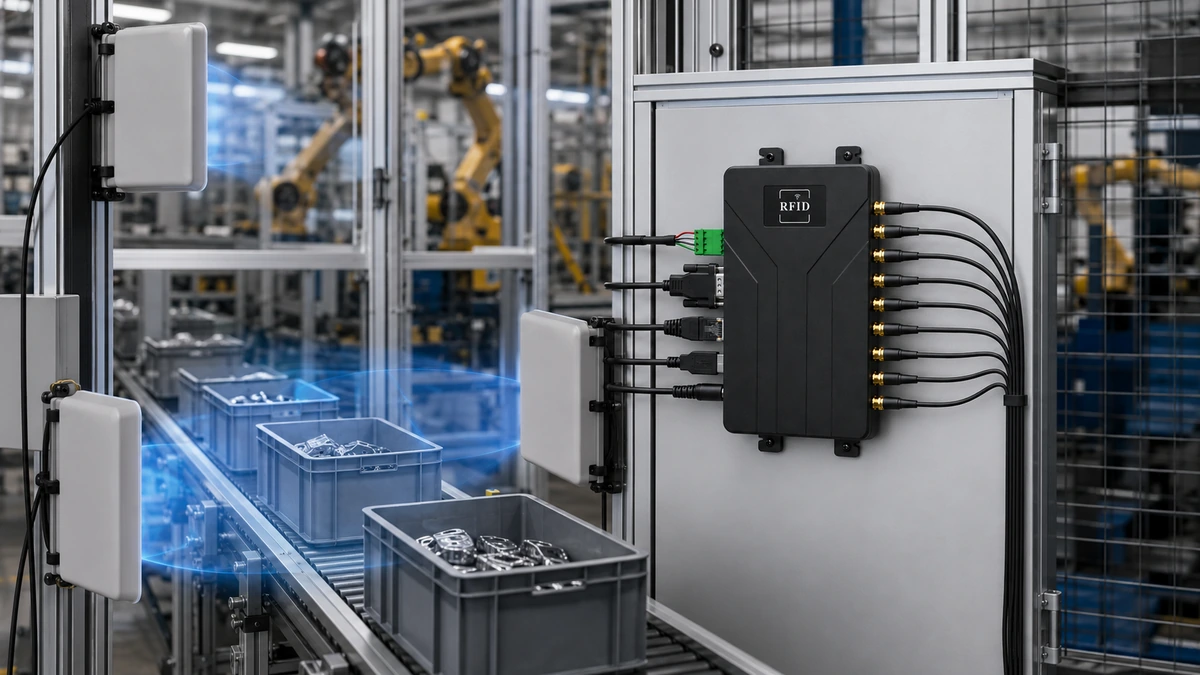
Production Line & WIP Validation
Identify tagged materials, work-in-process items, fixtures, bins, or carriers and pass the result to PLC, middleware, or MES logic.
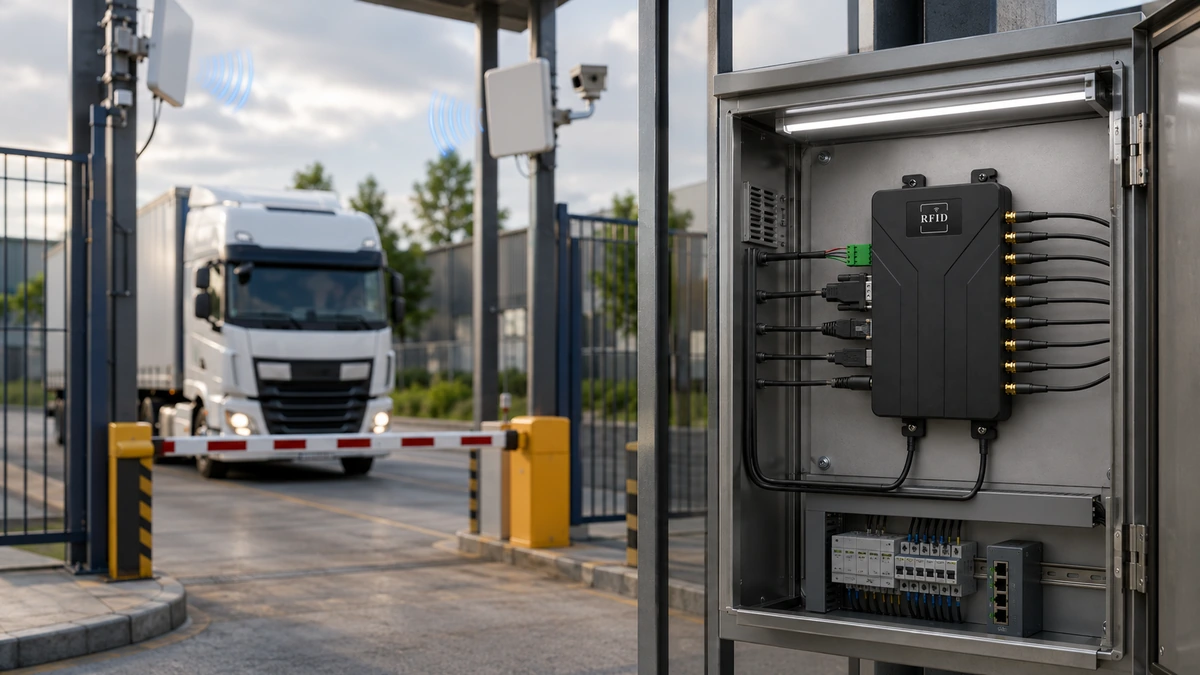
Vehicle Gate & Controlled Access
Identify compatible tags at a controlled entry or exit point and connect the event to Wiegand, relay, host, or access-control logic.

Deployment Guidance
Design the read point around the antenna, tag, and site
A fixed reader does not create the final read zone by itself. Antenna pattern, gain, polarization, cable loss, tag design, tagged material, mounting geometry, RF power, interference, and movement speed determine real performance.
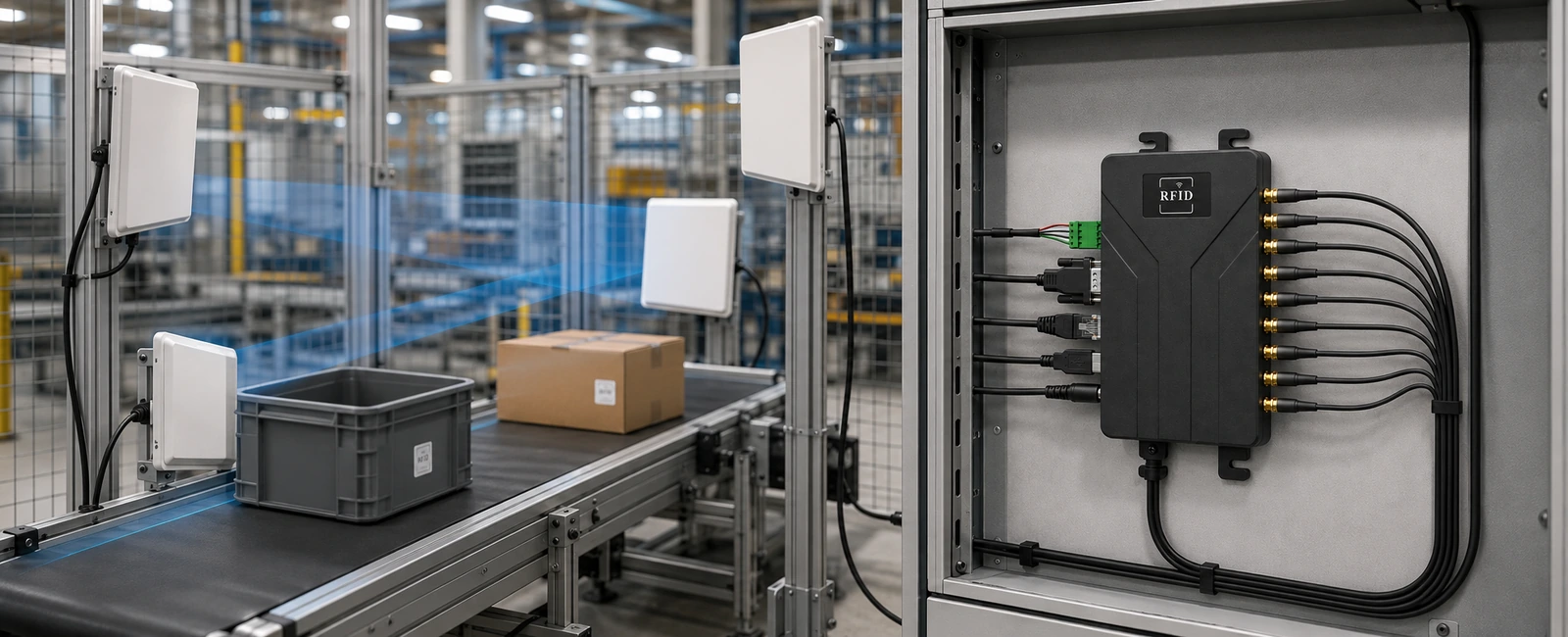
Start with the business checkpoint, select the antenna and tag around that checkpoint, then tune RF power and validate the installation using final products and process conditions.
Select near-field, far-field, circular, linear, panel, or specialized antennas according to the target zone and tag orientation.
Include cable length, connectors, metal, liquid, shielding, mounting surfaces, and adjacent RF sources in the design.
Test read and write performance using the actual tag, object, direction, spacing, movement speed, and operating environment.
Specifications
RLF-8P technical specifications and interface details
Review the confirmed RFID performance, antenna connections, communication interfaces, I/O configuration, power requirements, physical dimensions, and exact product-side reference views before project selection.
| RFID Performance | Working Frequency | GB: 920–925 MHz and 840–845 MHz; FCC: 902–928 MHz; ETSI: 865–868 MHz; Japan: 916–920 MHz |
|---|---|---|
| Air Protocols | ISO/IEC 18000-6B and ISO/IEC 18000-6C / EPC Class 1 Gen 2 | |
| RF Output Power | 0–33 dBm adjustable | |
| Frequency Mode | FHSS or fixed frequency, software configurable | |
| Tag Read Speed | More than 500 reads per second under suitable conditions | |
| Maximum Read Range | Up to 25 m, depending on antenna, cable, tag, RF settings, orientation, material, movement, and environment | |
| Maximum Write Range | Up to 8 m, depending on antenna, cable, tag, RF settings, orientation, material, and environment | |
| Antenna & RF | Antenna Ports | 8 external antenna ports |
| Connector Type | Confirm final connector nomenclature before publication | |
| Communication | Ethernet | 10/100M adaptive |
| RS-232 | 9600, 19200, 115200 default, and 460800 baud | |
| RS-485 | Available through the I/O terminal | |
| USB | USB 2.0 full-speed | |
| Wiegand | WIG0 and WIG1 output signals through the I/O terminal | |
| Host Development | API development kit with C# and Java support | |
| Automation I/O | Optically Isolated Inputs | 2 channels |
| Relay Outputs | 2 channels | |
| I/O Terminal | Relay outputs, isolated inputs, I/O ground, RS-485 A/B, power ground, and Wiegand signals | |
| Power & Physical | Operating Voltage | DC 9–24 V |
| Status Indicators | LED indicators and buzzer | |
| Dimensions | 224 × 117 × 33 mm | |
| Weight | 970 g |
Support & Documentation
Technical resources for integration and deployment

Product Datasheet
Review frequency options, RFID performance, communication interfaces, I/O, power, dimensions, and ordering details.
Request datasheet →SDK & API Package
Request the available C# and Java API package, communication guidance, sample resources, and host-development documentation.
Request SDK / API →
Interface & I/O Guide
Review the I/O terminal, relay outputs, isolated inputs, RS-485, Wiegand, serial communication, and project wiring requirements.
Discuss integration →Integration FAQ
RLF-8P selection, read-point, and system-integration questions
How many external antennas can RLF-8P connect?
RLF-8P provides eight external antenna ports. The final antenna count and placement should be selected according to the read point, coverage direction, tag orientation, cable loss, mounting constraints, and required redundancy.
Does each antenna port create a separate RFID read zone?
Not automatically. Each port can connect an antenna at a different location or direction, but true read-zone separation depends on antenna pattern, shielding, RF power, spacing, materials, tag orientation, and the surrounding RF environment. Validate the final arrangement on site.
What affects the stated read range of up to 25 m?
Read range depends on antenna gain and polarization, cable and connector loss, reader power, tag design, tagged material, tag orientation, mounting height, interference, movement speed, and environment. The stated maximum must be verified with the final project configuration.
How can adjacent or unintended tag reads be reduced?
Use a narrower or more suitable antenna pattern, reduce RF power, change antenna position and angle, add shielding where appropriate, separate neighboring read points, select a better tag position, and test with the final objects and process flow.
Which RFID protocols are supported?
RLF-8P is specified for ISO/IEC 18000-6B and ISO/IEC 18000-6C / EPC Class 1 Gen 2 tags. Confirm the regional frequency configuration and final firmware before ordering.
Can RLF-8P connect to a PLC?
Yes, through project-specific integration using the available isolated inputs, relay outputs, RS-485, serial communication, Ethernet, or host software. Confirm the PLC signal levels, wiring, command flow, and control ownership during design.
How many I/O channels are available?
The confirmed configuration uses two optically isolated input channels and two relay output channels. The same terminal also provides RS-485 and Wiegand signals. Review the final wiring guide before installation.
Can RFID data be sent to MES, WMS, or ERP software?
Yes, through a host application, RFID middleware, PLC integration, or custom software using the available communication interfaces and API package. RLF-8P is not presented as a native MES, WMS, or ERP connector.
Does RLF-8P support MQTT, local caching, or edge applications?
No such capability is confirmed for this model. MQTT, local event storage, offline caching, databases, edge applications, and business rules should be implemented in external host software or middleware.
Which frequency version should be ordered?
Select the configuration that matches the deployment country or region. The supplied specification lists GB, FCC, ETSI, and Japan frequency ranges. Confirm local regulations and the final firmware configuration before shipment.
Is an SDK or API package available?
Yes. The supplied information states that an API development kit is available with C# and Java support. Request the project-matched package, protocol documentation, sample resources, and supported operating environment.
How should antennas and RF cables be selected?
Start with the intended read point, required direction, tag orientation, distance, mounting space, and environment. Then select antenna type, gain, polarization, enclosure, cable type, connector, and cable length. Validate the complete path because cable and connector loss reduce delivered RF power.

Project Review
Confirm the RLF-8P configuration for your RFID checkpoint
Share the tagged items, checkpoint layout, antenna count, read or write requirement, movement speed, cable length, control signals, host interfaces, software environment, operating region, and expected project quantity.